From 30 to Over 200 Stars in a Week: My Adventure Creating Aws-Doctor

Introduction
One of my dreams as a software engineer was always to have a ‘successful’ open source project, and although ‘successful’ is a very relative term, for me the main thing was to develop something that solved a problem for me and would subsequently be useful to others. That is exactly what I am here to tell you about in this article.
Context
One of my tasks, in addition to developing features and maintaining applications, is controlling costs and infrastructure in the cloud, specifically AWS. Without realizing it, I spent my days executing the same commands and performing the same actions in the AWS console over and over again. Furthermore, even though AWS Cost Explorer has a feature to compare expenses between different months, you cannot use it for the current month, only for past months. Personally, I like to compare the current month’s expenses with last month’s during the same time period—meaning, if today is January 15th, I want to compare expenses from January 1st–15th with expenses from December 1st–15th. This is precisely the reason that led me to create aws-doctor.
First Steps
I started developing aws-doctor 5 months ago. Initially, it was called aws-billing, and the first problem I solved was comparing the current month’s costs with the previous month’s for the same timeframe. You can see a demo of this functionality in the following video:

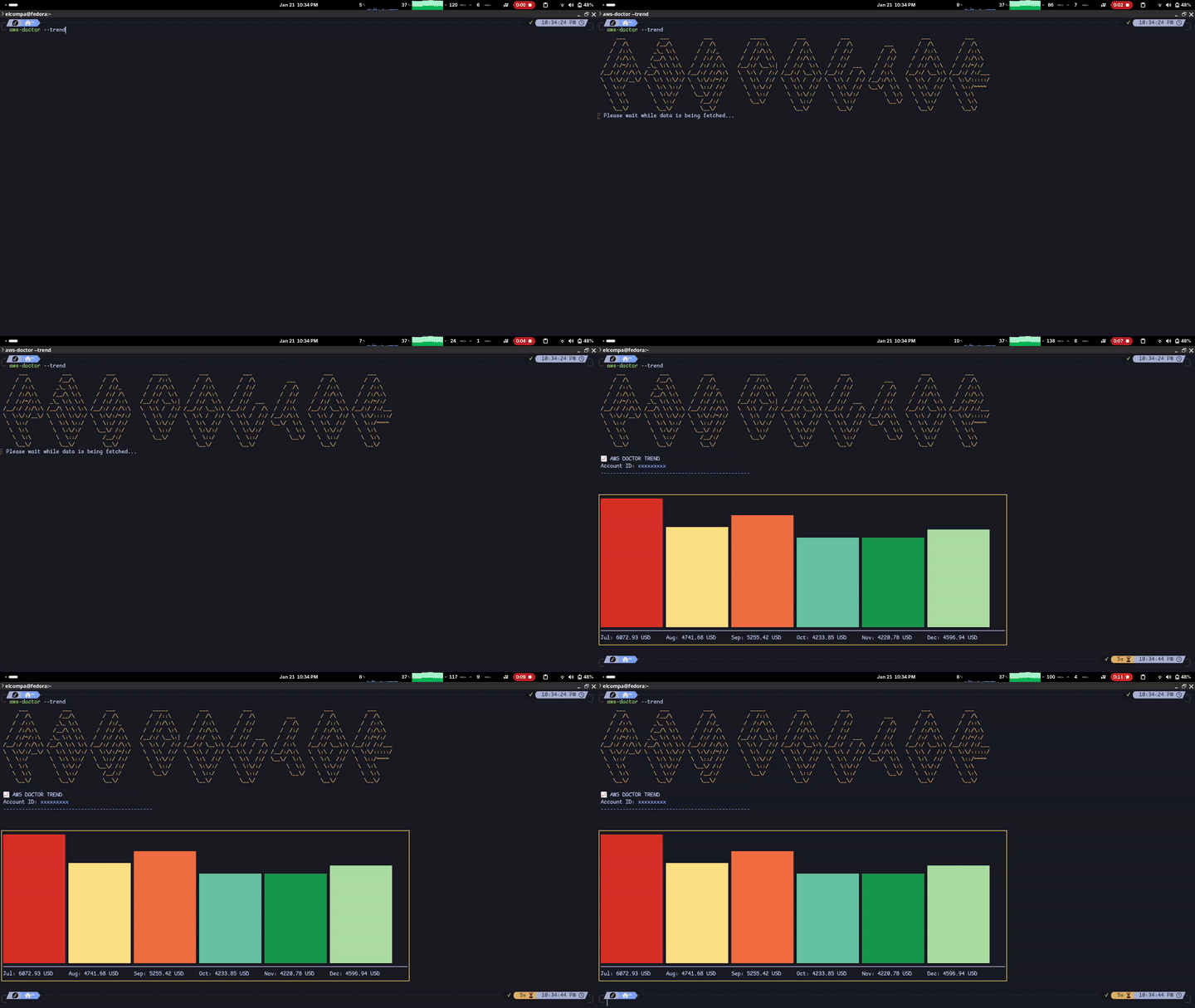
Later, I added the --trend functionality to show the cost trend for the last 6 months in the console. This is a feature available directly in AWS, so it doesn’t truly add much value beyond having this information available directly from the terminal. Below, I show you a demo of this feature:
First Release
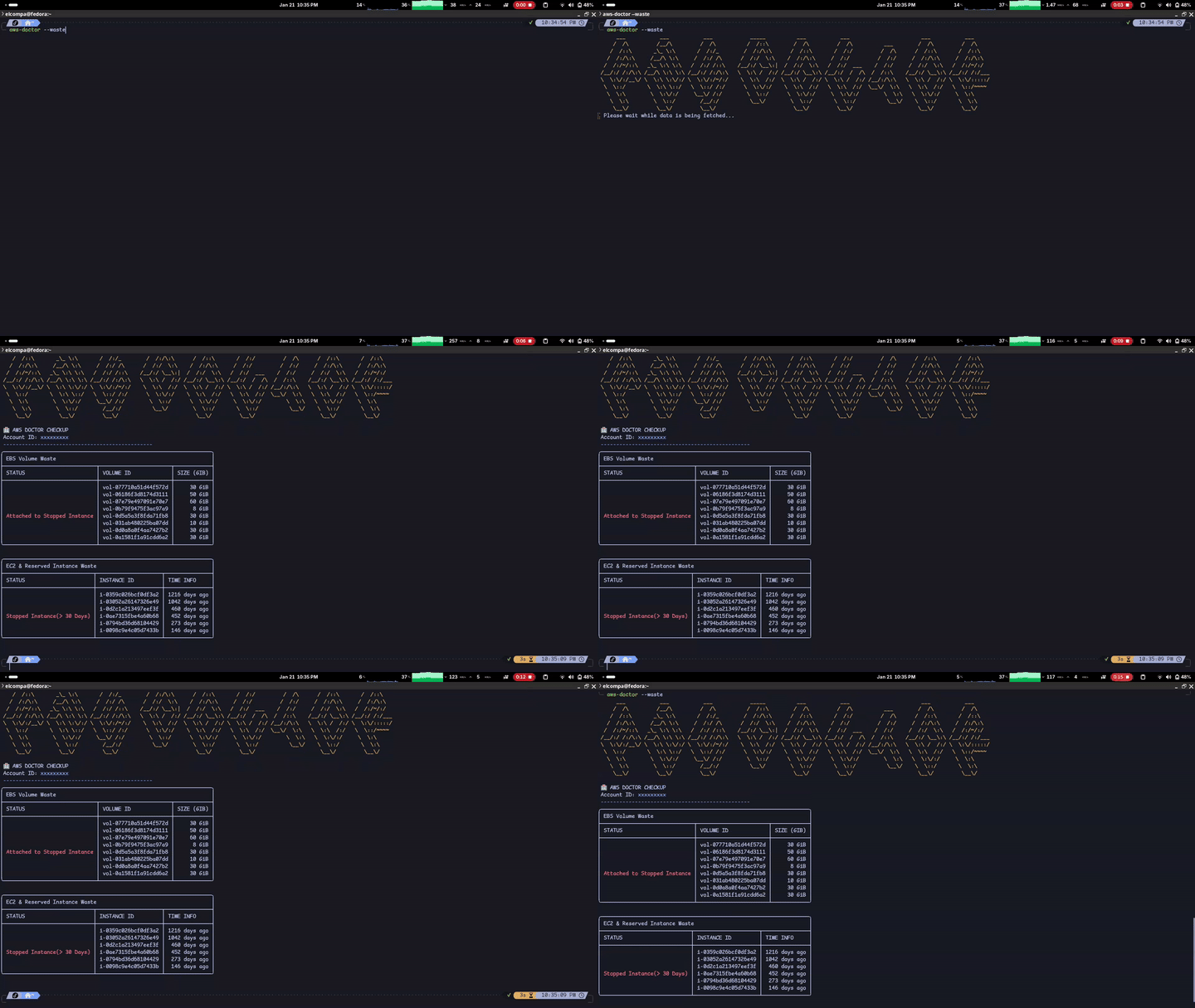
After spending about 5 months with these features, I decided to add a feature that, in my opinion, would add significant value to the tool—at least, it was something I would love to have included. This was the functionality to detect forgotten resources in AWS: --waste. Ranging from Elastic IPs not associated with any resource, to EBS volumes not being used by any EC2 instance. Currently, the tool performs the following checks:
- Unassociated Elastic IP addresses
- Unassociated EBS volumes
- EBS volumes attached to stopped instances
- EC2 reserved instances that expire in the next 30 days or expired in the last 30 days
- EC2 instances stopped for more than 30 days
- Load Balancers without associated target groups
- AMIs not associated with any EC2 instance and created more than 90 days ago
- EBS Snapshots not associated with any EBS volume or AMI
- EBS Snapshots created more than 90 days ago where the associated EBS volume no longer exists and is not used by any AMI
This functionality will be under constant development to add more verifications and checks for forgotten resources in AWS.
Once I decided to implement this feature, I got to work, and on January 18th, I launched version v1.0.0 of aws-doctor. You can see the waste functionality in the following demo:
Promotion and Growth
At that moment, the repo had around 30 ⭐ on GitHub. Nothing special, but they were 30 ⭐ that I had earned mostly organically. Thinking that perhaps it might interest more people, I decided to share the repo in some communities on Reddit. I shared it in devops and in aws; the approach was mostly to see what others thought, get feedback related to the tool, and see what I could add in the future. From this, I got some visits to the repo and a few more ⭐, but nothing out of the ordinary.
The turning point came when Gemini (my favorite AI assistant) suggested I share the repo on Hacker News. Hacker what? I had never heard of that website, and judging by its dated appearance, I thought it wasn’t a big deal—I almost didn’t share the repo there. Regardless, I shared the repo on Hacker News a day after sharing it on Reddit, and to my surprise, the post started gaining traction quickly. In a matter of hours, the repo went from having 30 ⭐ to over 100 ⭐, and currently, 8 days after launching release v1.0.0, the repo has 236 ⭐.
It wasn’t just the fact of the ⭐, but that people started creating issues on the tool and making PRs. Personally, I was very impressed when I went to sleep and woke up the next morning to find 6 open PRs and 3 issues created by other users. This truly gave me a huge shot of motivation to continue improving the tool and dedicate myself to maintaining it.
Contributions and Community
I want to thank Jonathan Tsai for his incredible contribution to the tool; to this day, he has opened many PRs and remains quite active in the repo. Additionally, he showed me his workflow with Claude Code and pushed me to start testing AI agents for software development. Also, my friend Evert Arias in this PR created the automatic installation script for Linux and MacOS, configured Go Releaser to generate binaries for MacOS, Linux, and Windows, and set this up using GitHub Actions, which saves me a ton of work and time. Another friend, Danyer, helped me with the guidelines for AI agents and, as we discussed, wants to contribute by making the aws-doctor logo appear when executing the command in the console.
I truly feel very grateful to the community for all the support they have shown so far. It is something that truly makes me happy, and it proves to me that this is what I want to dedicate myself to for the rest of my life.
Next Steps
Currently, aws-doctor is in constant development and the latest version is v1.3.0, which, among other features, declares a new flag --update to update the tool to the latest available version. The roadmap currently looks like this:
- Add more checks to the
--wastefunctionality - Add reports in PDF format
- Add integration with Slack and Discord to automatically send reports to the corresponding channels
Until Next Time
In future articles, I will show the new features I add to the tool, as well as share everything I learn along the way. If you are interested in the project, don’t hesitate to give it a ⭐ on GitHub and share it with your friends and colleagues. See you next time!
Related Content
- My First Ruby Contribution to GitLab: From Golang to the Monolith
- From Aiming for 1st to Winning 2nd: My GitLab Hackathon Experience
- My Experience as a Notable Contributor at GitLab
- How GitLab Can Boost Your Professional Career
- S3 Storage Classes